
在相同的图形中使用不同的阴影
在相同的图形中使用不同的阴影
提问于 2017-08-29 07:37:39
是否可以在相同的图形中使用不同的shading类型?
例如,这段代码:
figure; hold on
surf(1:10,1:10,repmat(1,10,10),rand(10))
shading flat; hold on
surf(1:10,1:10,repmat(3,10,10),rand(10))
shading flat; hold on
surf(1:10,1:10,repmat(5,10,10),rand(10))
shading interp
view(-15,32)
在以下方面的成果:
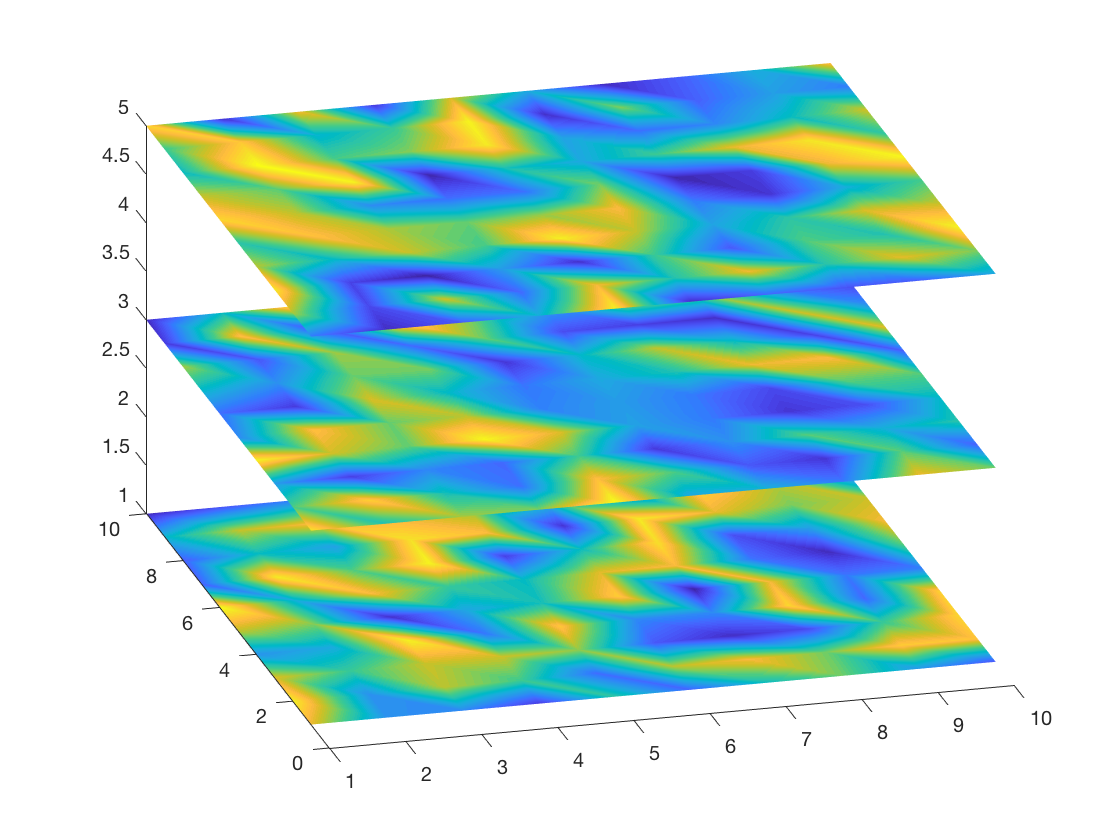
这样,最后一个shading就可以确定图中所有对象的interp类型。
这附近有工作吗?
回答 1
Stack Overflow用户
回答已采纳
发布于 2017-08-29 08:24:50
默认情况下,当您使用'FaceColor'时,flat是black,'EdgeColor'是black。
shading flat将'FaceColor'设置为'flat','EdgeColor'设置为none。
shading interp将'FaceColor'设置为'interp','EdgeColor'设置为none。
因此,您可以指定以下这些属性:
figure;
surf(1:10,1:10,repmat(1,10,10),rand(10),'EdgeColor','none');
hold on;     %You don't need to use hold on again and again
surf(1:10,1:10,repmat(3,10,10),rand(10),'EdgeColor','none');
surf(1:10,1:10,repmat(5,10,10),rand(10),'FaceColor', 'interp','EdgeColor','none');
view(-15,32);
这意味着:
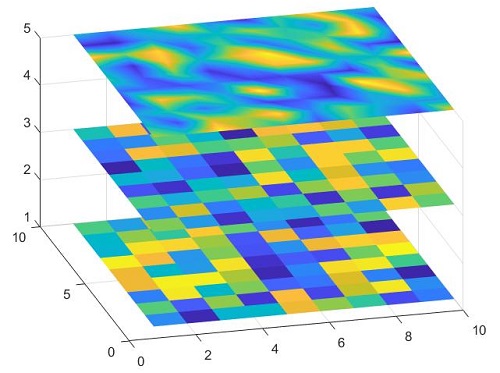
或者获取每个曲面图的句柄,并在后面更改,如文档中所示。
页面原文内容由Stack Overflow提供。腾讯云小微IT领域专用引擎提供翻译支持
原文链接:
https://stackoverflow.com/questions/45933322
复制相关文章
相似问题
腾讯云开发者

Copyright © 2013 - 2026 Tencent Cloud. All Rights Reserved. 腾讯云 版权所有
深圳市腾讯计算机系统有限公司 ICP备案/许可证号:粤B2-20090059  粤公网安备44030502008569号
腾讯云计算(北京)有限责任公司 京ICP证150476号 | 京ICP备11018762号