
AWS API网关选项请求返回500错误
我对API网关和Lambda非常陌生。我正在尝试将基于Node.js Express的API部署到lambda。我正在使用来自awslabs的aws-无服务器-快速示例。因此,我的很多AWS配置都是自动为我创建的。
我的API似乎通过API网关正确工作。我的帖子和方法都很好。然而,我需要支持CORS。我的应用程序应该对选项请求返回正确的CORS响应,但它不适用于AWS。
最终,无论我做什么,我都会收到500个选项请求的回复。我还没有弄清楚如何获得关于这500个错误的任何信息。我不知道是什么导致了他们。
这是500个响应{"message": "Internal server error"}的主体。
以下是响应头:
内容长度:36 内容类型:application/json 日期:孙,2017年7月9日17:56:24 现况:500 via:1.1 9af17e5a616bfc9ac07fc7e415ade9e6.cloudfront.net (CloudFront) x-amz-cf-id:1_AZmkLqf1rjkog2MRtvcBAe54aIZdPWmNApBTwG48Af-v_g9WHkZw== x-amzn-requestid:ec216a62-64cf-11e7-ad2b-4f1e96508dba X-缓存: cloudfront的错误
我很确定我的选择请求甚至没有到达Lambda上的应用程序。
我尝试过使用API网关(以及在我的应用程序中)配置CORS。我试着把它配置成允许所有的来源。
如果有什么我可以查看或做的来调试这个问题?
编辑:
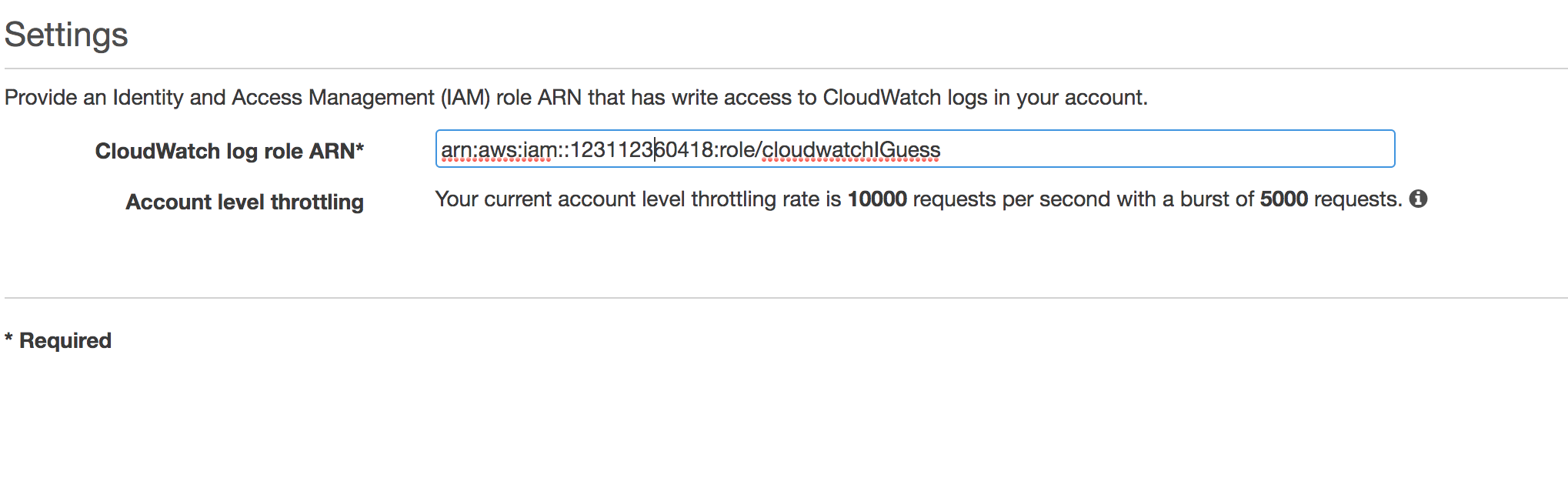
为了调试此问题,我尝试为API网关启用CloudWatch登录。
在这样做之后,我在CloudWatch中看到了这两个网关-查找日志:
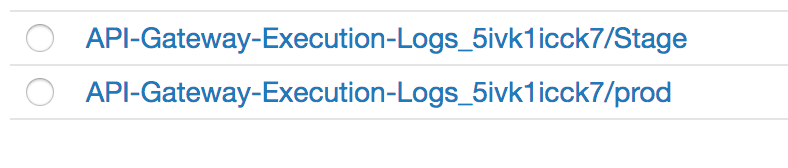
我一直在使用prod,所以我点击该链接并看到以下内容:
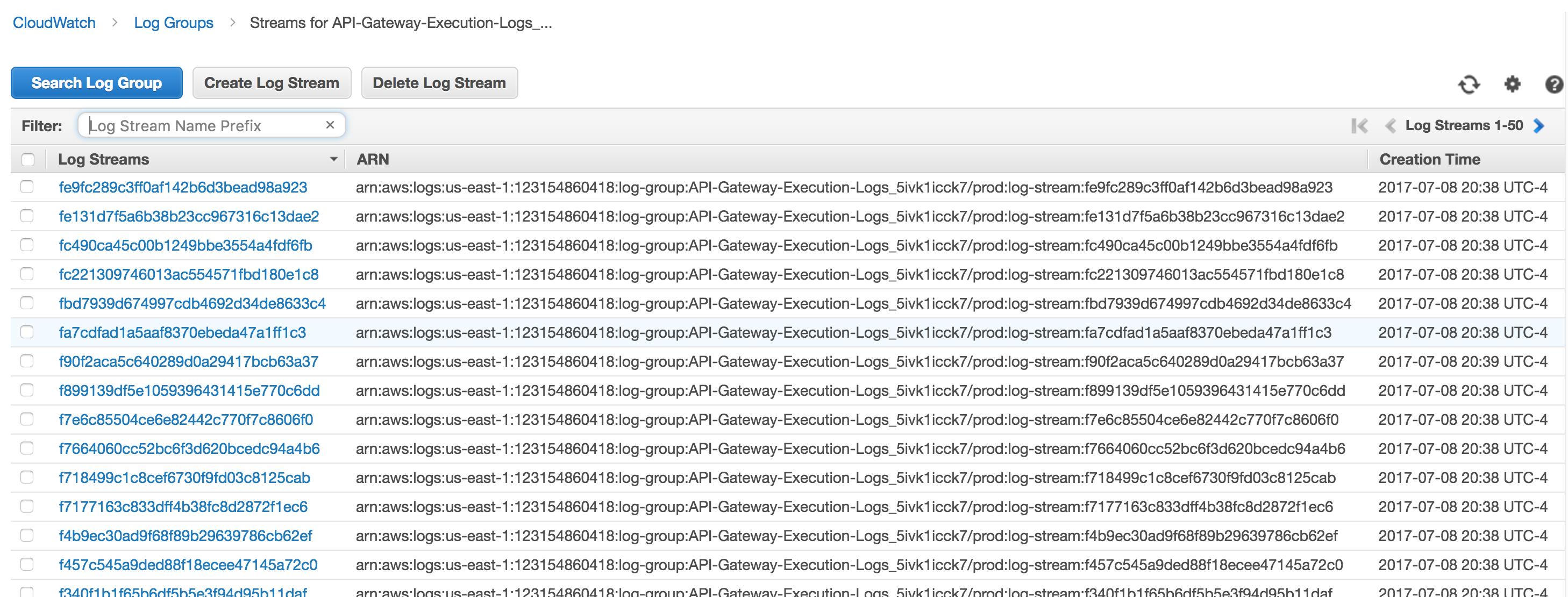
我想这是一长串日志条目。我不知道“溪流”在这种情况下意味着什么。有数以百计的这些条目。所以,我选择一个有最近的时间戳,然后点击它。现在我看到了这个:
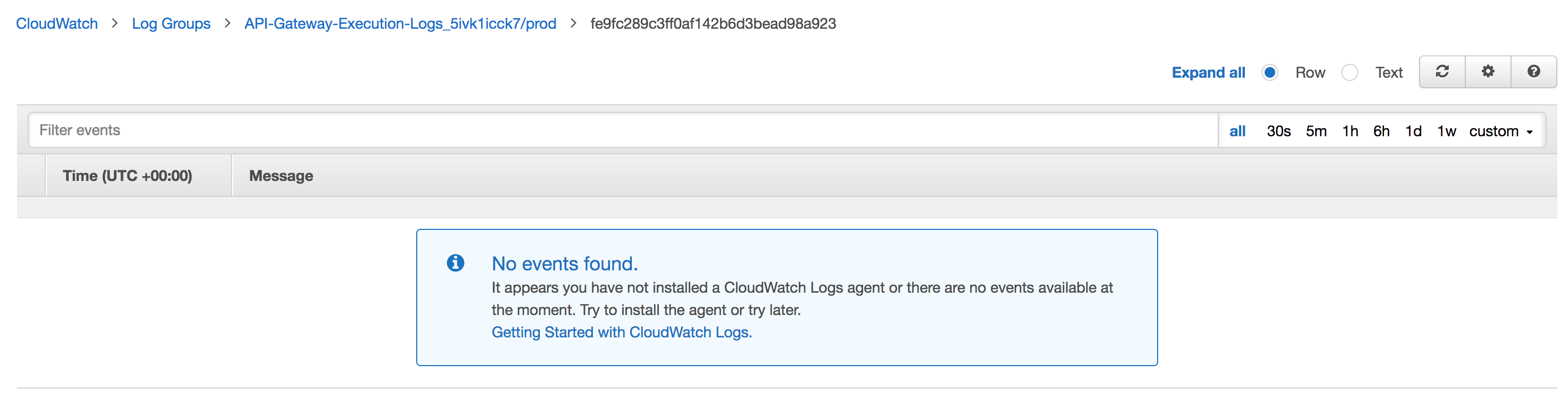
我所有的网关日志看起来都是这样的。显然是空的。
那么,我是否正确地设置了日志记录?我找对地方了吗?
回答 7
Stack Overflow用户
发布于 2019-05-17 04:42:00
我也有类似的问题。
在我的AWS + API + Serverless Framework1.42.3+ Express.js项目中工作的是:
- 我必须启用CORS /从Express发送邮件: // AWS API网关CORS (选项)支持有缺陷吗?App.use(cors({凭据:真}));app.options("*",cors());
- 不启用网关中的CORS,也就是说,不要在
serverless.yml中这样做:
- http: method: ANY path: '{proxy+}' # will cause {"message": "Internal server error"} # cors: true
没有cors: true,所有请求都会正常工作。
使用cors: true,OPTIONS请求将使用{"message": "Internal server error"}响应(不管Lambda函数做什么,这似乎是由API直接发送的,或者是一个buggy的模拟集成)。
Stack Overflow用户
发布于 2018-10-01 10:08:52
对于那些仍然面临aws-无服务器快递选项500错误的人,解决方案是将contentHandling: CONVERT_TO_TEXT添加到招摇模板中的OPTIONS方法中。
下面是包含/和/{proxy+}路径的swagger模板文件
---
swagger: 2.0
info:
  title: AwsServerlessExpressApi
basePath: /prod
schemes:
- https
paths:
  /:
    x-amazon-apigateway-any-method:
      produces:
      - application/json
      responses:
        200:
          description: 200 response
          schema:
            $ref: "#/definitions/Empty"
      x-amazon-apigateway-integration:
        responses:
          default:
            statusCode: 200
        uri: arn:aws:apigateway:YOUR_AWS_REGION:lambda:path/2015-03-31/functions/arn:aws:lambda:YOUR_AWS_REGION:YOUR_ACCOUNT_ID:function:${stageVariables.ServerlessExpressLambdaFunctionName}/invocations
        passthroughBehavior: when_no_match
        httpMethod: POST
        type: aws_proxy
    options:
      consumes:
      - application/json
      produces:
      - application/json
      responses:
        200:
          description: 200 response
          schema:
            $ref: "#/definitions/Empty"
          headers:
            Access-Control-Allow-Origin:
              type: string
            Access-Control-Allow-Methods:
              type: string
            Access-Control-Allow-Headers:
              type: string
      x-amazon-apigateway-integration:
        contentHandling: CONVERT_TO_TEXT
        responses:
          default:
            statusCode: 200
            responseParameters:
              method.response.header.Access-Control-Allow-Methods: "'DELETE,GET,HEAD,OPTIONS,PATCH,POST,PUT'"
              method.response.header.Access-Control-Allow-Headers: "'Content-Type,Authorization,X-Amz-Date,X-Api-Key,X-Amz-Security-Token'"
              method.response.header.Access-Control-Allow-Origin: "'https://example.com'"
        passthroughBehavior: when_no_match
        requestTemplates:
          application/json: "{\"statusCode\": 200}"
        type: mock
  /{proxy+}:
    x-amazon-apigateway-any-method:
      produces:
      - application/json
      parameters:
      - name: proxy
        in: path
        required: true
        type: string
      responses: {}
      x-amazon-apigateway-integration:
        uri: arn:aws:apigateway:YOUR_AWS_REGION:lambda:path/2015-03-31/functions/arn:aws:lambda:YOUR_AWS_REGION:YOUR_ACCOUNT_ID:function:${stageVariables.ServerlessExpressLambdaFunctionName}/invocations
        httpMethod: POST
        type: aws_proxy
    options:
      consumes:
      - application/json
      produces:
      - application/json
      responses:
        200:
          description: 200 response
          schema:
            $ref: "#/definitions/Empty"
          headers:
            Access-Control-Allow-Origin:
              type: string
            Access-Control-Allow-Methods:
              type: string
            Access-Control-Allow-Headers:
              type: string
      x-amazon-apigateway-integration:
        contentHandling: CONVERT_TO_TEXT
        responses:
          default:
            statusCode: 200
            responseParameters:
              method.response.header.Access-Control-Allow-Methods: "'DELETE,GET,HEAD,OPTIONS,PATCH,POST,PUT'"
              method.response.header.Access-Control-Allow-Headers: "'Content-Type,Authorization,X-Amz-Date,X-Api-Key,X-Amz-Security-Token'"
              method.response.header.Access-Control-Allow-Origin: "'https://example.com'"
        passthroughBehavior: when_no_match
        requestTemplates:
          application/json: "{\"statusCode\": 200}"
        type: mock
x-amazon-apigateway-binary-media-types:
  - '*/*'
definitions:
  Empty:
    type: object
    title: Empty Schema
更多信息可在GitHub 请求方法选项时出现内部服务器错误上找到。
希望这能有所帮助!
Stack Overflow用户
发布于 2017-07-10 14:54:37
我刚刚在AWS文档中浏览了启用CORS的this...hidden,这是因为您必须在lambda中设置CORS头。以下是如何做到这一点:
let payload = {
    statusCode: 400,
    body: JSON.stringify('body'),
    headers: {"Access-Control-Allow-Origin": "*"} // NEED this for API CORS access
};
callback(null, payload);
您必须返回一个有效的statusCode和主体以及标题,否则该API将无法将您的lambda响应转换为API响应。
https://stackoverflow.com/questions/44996439
复制相似问题
腾讯云开发者

Copyright © 2013 - 2026 Tencent Cloud. All Rights Reserved. 腾讯云 版权所有
深圳市腾讯计算机系统有限公司 ICP备案/许可证号:粤B2-20090059  粤公网安备44030502008569号
腾讯云计算(北京)有限责任公司 京ICP证150476号 | 京ICP备11018762号