
您正在尝试在AnimatePresence中动画多个子对象,但是它的exitBeforeEnter支柱被设置为true
您正在尝试在AnimatePresence中动画多个子对象,但是它的exitBeforeEnter支柱被设置为true
提问于 2020-09-01 16:36:07
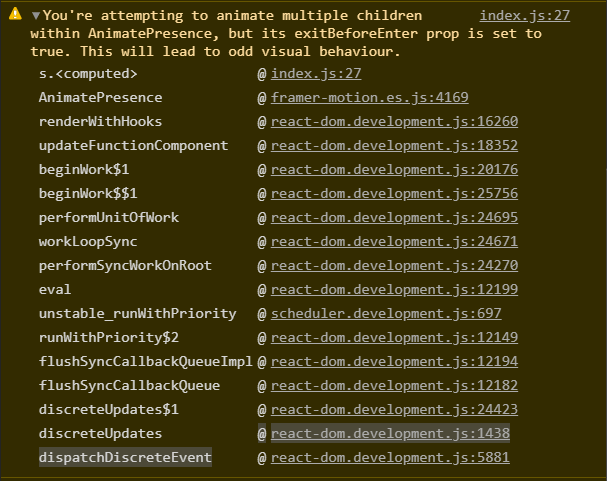
浏览器控制台上的错误
You're attempting to animate multiple children within AnimatePresence,
but its exitBeforeEnter prop is set to true. This will lead to odd visual behaviour.
App.js (封装在BrowserRouter中)
<Switch>
       <AnimatePresence exitBeforeEnter>
          <Route key="1"  exact path="/" component={Home}/>
          <Route key="2"  exact path="/home" component={Home}/>
          <Route key="3"  exact path="/articles" component={Articles}/>
       </AnimatePresence>
 </Switch>
Home.js/Articles.js
const Home = props =>{
  return(
    <motion.h1 initial={{x:-100}} animate={{x:0}} exit={{x:-100}}>Home/Articles</motion.h1>
  )
}

export default Articles
有人能解释一下是什么原因造成的错误吗?
回答 1
Stack Overflow用户
回答已采纳
发布于 2020-09-02 10:29:31
就像医生说的关于exitBeforeEnter
如果
设置为true,AnimatePresence一次只能呈现一个组件。退出组件将在呈现输入组件之前完成其退出动画。
因此,在启用了这个支柱之后,您需要用另一种方式将Switch包装成AnimatePresence。
<AnimatePresence exitBeforeEnter>
  <Switch location={location} key={location.pathname}>
    <Route exact path="/" component={Home}/>
    <Route exact path="/home" component={Home}/>
    <Route exact path="/articles" component={Articles}/>
  </Switch>
</AnimatePresence>请注意,您还需要为key传递Switch
页面原文内容由Stack Overflow提供。腾讯云小微IT领域专用引擎提供翻译支持
原文链接:
https://stackoverflow.com/questions/63691903
复制相关文章
相似问题
腾讯云开发者

Copyright © 2013 - 2026 Tencent Cloud. All Rights Reserved. 腾讯云 版权所有
深圳市腾讯计算机系统有限公司 ICP备案/许可证号:粤B2-20090059  粤公网安备44030502008569号
腾讯云计算(北京)有限责任公司 京ICP证150476号 | 京ICP备11018762号