
透明TabBar时弹出儿童NavigationView iOS 15
透明TabBar时弹出儿童NavigationView iOS 15
提问于 2021-10-06 14:24:32
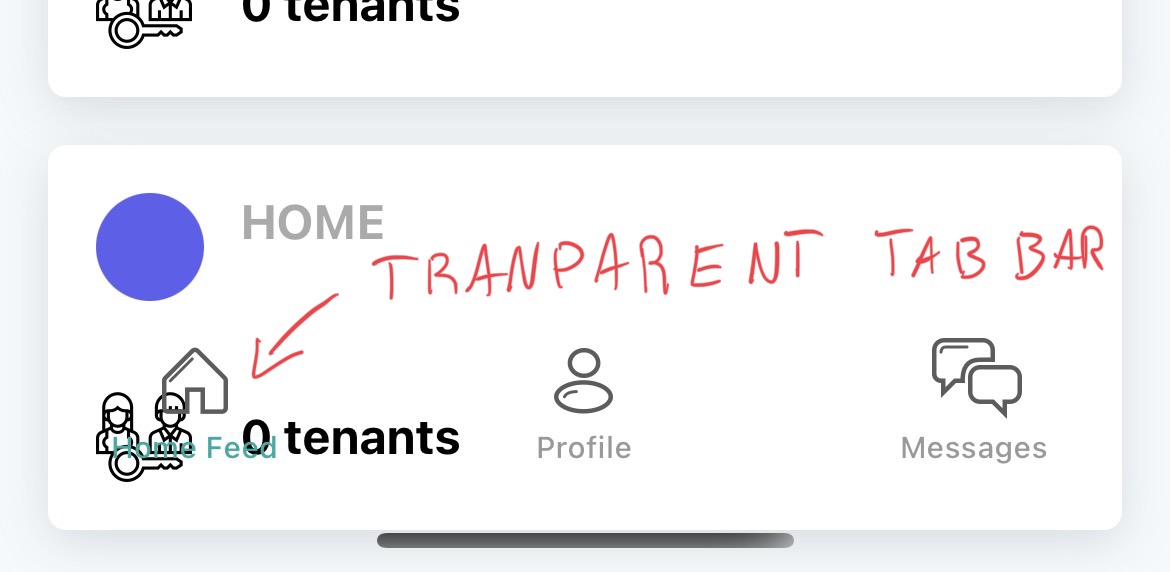
我有一个带有SwiftUI的TabBar应用程序。如果我从NavigationView中打开一个详细子视图,然后单击"Back",TabBar就会变得透明,在TabBar图标下面显示Feed中的项目。
从主提要
- ,打开子导航详细信息视图。---------------
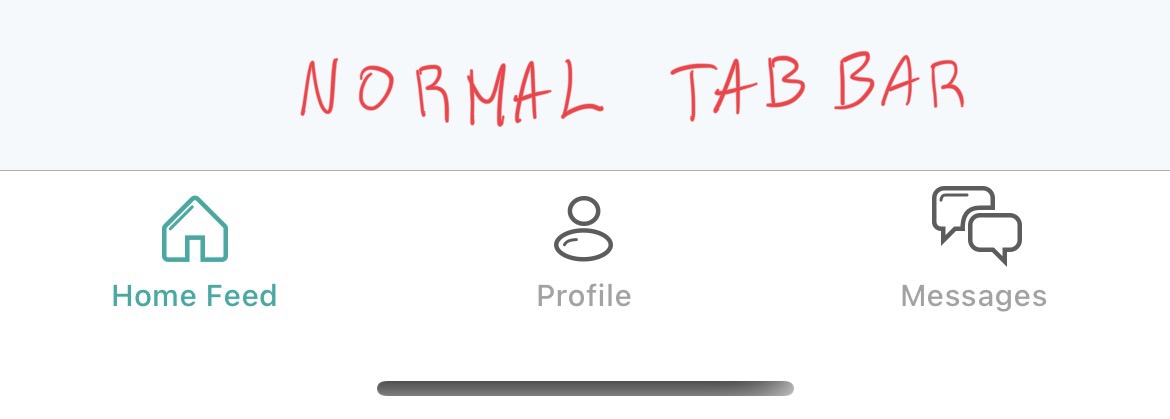
然后,
- 在细节视图中单击“上一步”。---------------
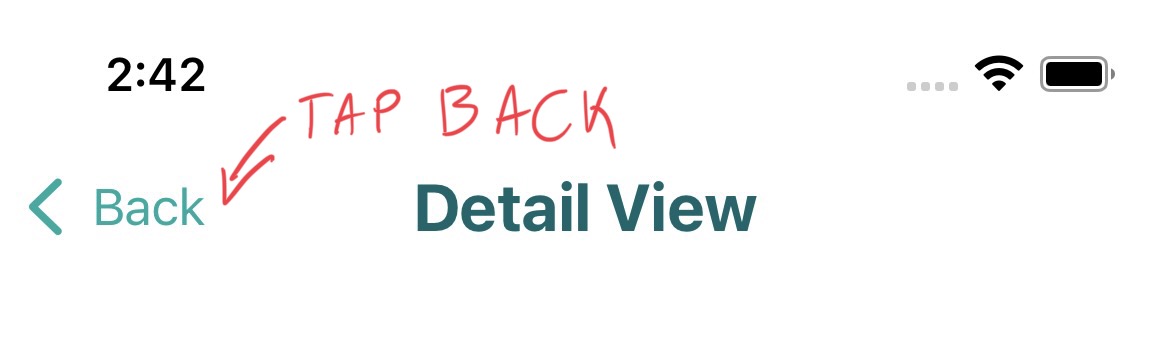
- ,您将看到这个BUG。TAB栏将是透明的。---------------
回答 2
Stack Overflow用户
回答已采纳
发布于 2021-10-06 14:24:32
通过iOS 15,苹果已经将对scrollEdgeAppearance的支持扩展到了UIKit。默认情况下,此设置生成透明的TabBar背景。
要解决这个问题,请将下面的代码添加到SceneDelegate文件中,以定义TabBar的颜色,这样SwiftUI就不会自动使其透明。
class SceneDelegate: UIResponder, UIWindowSceneDelegate {

var window: UIWindow?

func scene(
    _ scene: UIScene,
    willConnectTo session: UISceneSession,
    options connectionOptions: UIScene.ConnectionOptions
) {

    guard let windowScene = (scene as? UIWindowScene) else { return }

    // MARK: ADD THIS CODE BELOW TO YOUR SCENE DELEGATE.

    // TAB BAR BACKGROUND COLOR HERE.
    UITabBar.appearance().barTintColor = UIColor.white

    // TAB BAR ICONS COLOR HERE.
    UITabBar.appearance().tintColor = UIColor.blue
    UITabBar.appearance().isTranslucent = true

    if #available(iOS 15.0, *) {
        let appearance = UITabBarAppearance()
        appearance.configureWithOpaqueBackground()

        // TAB BAR BACKGROUND COLOR HERE. (same as above)
        appearance.backgroundColor = UIColor.white
        UITabBar.appearance().standardAppearance = appearance
        UITabBar.appearance().scrollEdgeAppearance = UITabBar.appearance().standardAppearance
    }

    let window = UIWindow(windowScene: windowScene)
    window.rootViewController = UIHostingController(rootView: RootView())
        self.window = window
        window.makeKeyAndVisible()
    }
}Stack Overflow用户
发布于 2022-01-31 04:15:10
这是我所需要做的。
if #available(iOS 15.0, *) {
    let tabBarAppearance = UITabBarAppearance()
    tabBarAppearance.configureWithDefaultBackground()
    UITabBar.appearance().scrollEdgeAppearance = tabBarAppearance
}页面原文内容由Stack Overflow提供。腾讯云小微IT领域专用引擎提供翻译支持
原文链接:
https://stackoverflow.com/questions/69467580
复制相关文章
相似问题
腾讯云开发者

Copyright © 2013 - 2026 Tencent Cloud. All Rights Reserved. 腾讯云 版权所有
深圳市腾讯计算机系统有限公司 ICP备案/许可证号:粤B2-20090059  粤公网安备44030502008569号
腾讯云计算(北京)有限责任公司 京ICP证150476号 | 京ICP备11018762号