LiveListState 是 AtomicXCore 中负责管理直播房间列表、创建、加入以及维护房间状态的核心模块。通过 LiveListState,您可以为您的应用构建完整的直播生命周期管理。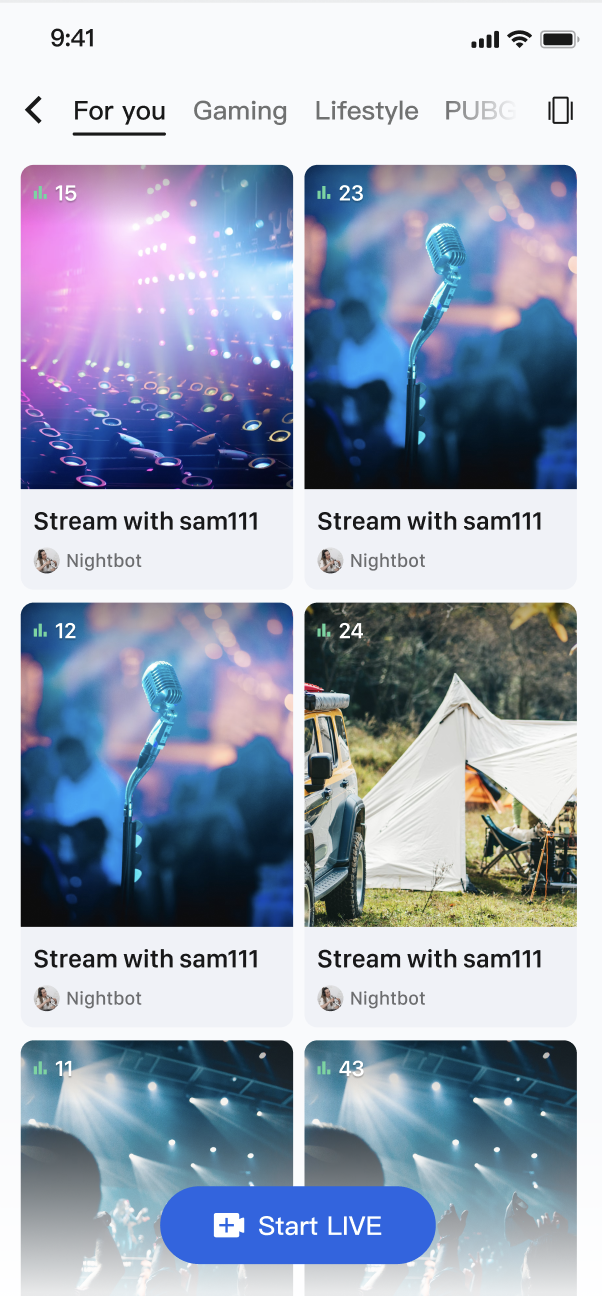
核心功能
直播列表拉取:获取当前所有公开的直播间列表,支持分页加载。
直播生命周期管理:提供从创建、开播、加入、离开到结束直播的全套流程接口。
直播信息更新:主播可以随时更新直播间的公开信息,例如封面、公告等。
实时事件监听:监听直播结束、用户被踢出等关键事件。
自定义业务数据:强大的自定义元数据(
MetaData)能力,允许您在房间内存储和同步任何业务相关的信息,例如直播状态、音乐信息、自定义角色等 。实现步骤
步骤1:组件集成
视频直播:请参考 开播与观看 集成 AtomicXCore,完成接入。
语聊房:请参考 开播与收听 集成 AtomicXCore,完成接入。
步骤2:实现观众从直播列表进入直播间
创建一个展示直播列表的页面。当用户点击某个卡片时,获取该直播间的
liveID,并跳转到观众观看页面。<template><view class="live-list"><!-- 直播列表 --><list class="list" :show-scrollbar="false"><!-- 行循环 --><cell v-for="(row, idx) in groupedList" :key="`row-${idx}`"><view class="row"><!-- 卡片循环 --><viewv-for="live in row":key="live.liveID"class="card"@tap="handleJoinLive(live)"><image :src="live.coverURL || defaultCover" class="cover" /><view class="info"><text class="title">{{ live.liveName }}</text><text class="owner">{{ live.liveOwner?.userName }}</text><text class="count">{{ live.totalViewerCount }}人看过</text></view></view></view></cell></list></view></template><script setup lang="ts">import { computed, onMounted } from 'vue';import { useLiveListState } from "@/uni_modules/tuikit-atomic-x/state/LiveListState";// 状态管理const { liveList, liveListCursor, fetchLiveList } = useLiveListState();// 计算属性:分组列表(每行2个)您可以在这里进行每行展示个数的设置。const groupedList = computed(() => {const list = liveList.value || [];const groups = [];for (let i = 0; i < list.length; i += 2) {groups.push(list.slice(i, i + 2));}return groups;});// 初始化onMounted(() => {fetchLiveList({ cursor: "", count: 20 });});// 加入直播const handleJoinLive = (live: any) => {uni.redirectTo({ url: `/pages/audience/index?liveID=${live.liveID}` }); // 跳转至您的目标页面};</script><style scoped>.live-list {flex: 1;background: #fff;}.list {width: 100%;}.row {flex-direction: row;padding: 0 32rpx 16rpx;justify-content: space-between;}.card {width: 48%;height: 320rpx;background: #f5f5f5;border-radius: 12rpx;overflow: hidden;}.cover {width: 100%;height: 220rpx;}.info {flex: 1;padding: 12rpx;flex-direction: column;}.title {font-size: 26rpx;font-weight: 600;color: #000;lines: 1;text-overflow: ellipsis;overflow: hidden;}.owner {font-size: 22rpx;color: #666;margin-top: 4rpx;lines: 1;text-overflow: ellipsis;overflow: hidden;}.count {font-size: 20rpx;color: #999;margin-top: 4rpx;lines: 1;text-overflow: ellipsis;overflow: hidden;}</style>
LiveInfo 参数说明
参数名 | 类型 | 描述 |
liveID | string | 直播间的唯一标识符 |
liveName | string | 直播间的标题 |
coverURL | string | 直播间的封面图片地址 |
liveOwner | 房主的个人信息 | |
totalViewerCount | number | 直播间的总观看人数 |
categoryList | [number] | 直播间的分类标签列表 |
notice | string | 直播间的公告信息 |
metaData | [string: string] | 开发者自定义的元数据,用于实现复杂的业务场景 |
功能进阶
场景一:实现直播列表的分类展示
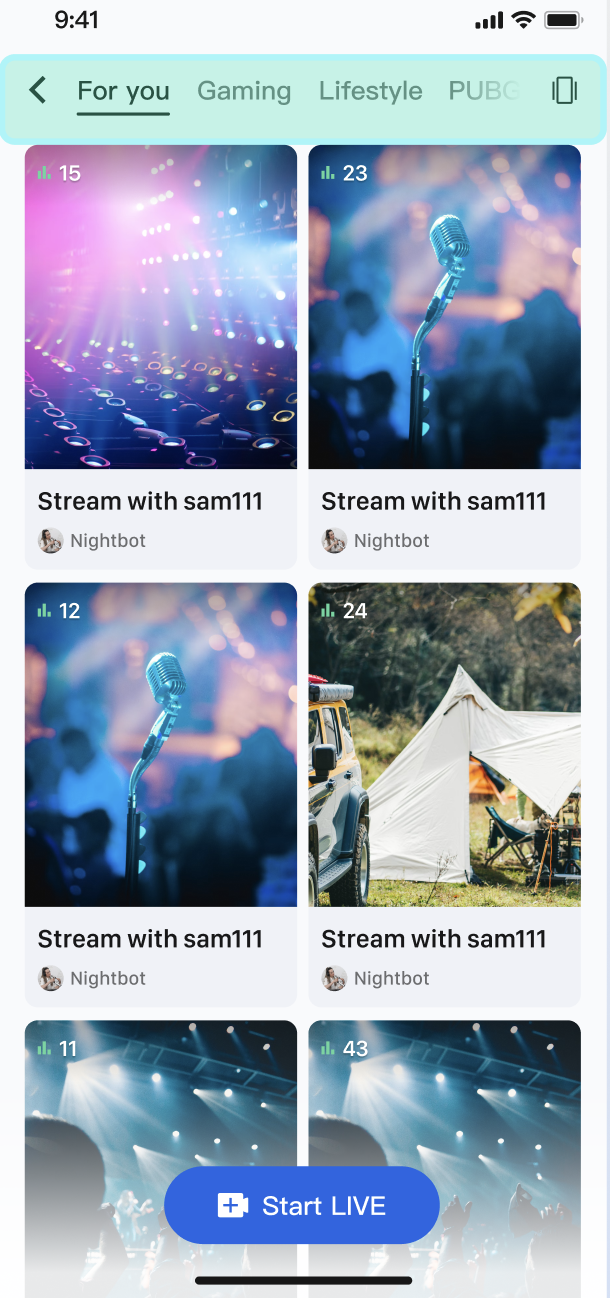
在 App 的直播广场页,顶部设有“热门”、“音乐”、“游戏”等分类标签。用户点击不同的标签后,下方的直播列表会动态筛选,只展示对应分类的直播间,从而帮助用户快速发现感兴趣的内容。
实现方式
核心是利用
LiveInfo 模型中的 categoryList 属性。当主播开播设置分类后,fetchLiveList 返回的 LiveInfo 对象中就会包含这些分类信息。您的 App 在获取到完整的直播列表后,只需在客户端根据用户选择的分类,对这个列表进行一次简单的筛选,然后刷新 UI 即可。代码示例
以下示例展示了如何在直播列表页中增加根据一个
categoryList 来处理数据和筛选逻辑的 UI。<template><view class="live-list"><!-- 分类标签栏 --><view class="category-tabs"><viewv-for="cat in categories":key="cat.id"class="tab":class="{ active: selectedCategory === cat.id }"@tap="selectedCategory = cat.id">{{ cat.name }}</view></view><!-- 直播列表 --><list class="list" @loadmore="loadMore" :show-scrollbar="false"><!-- 行循环 --><cell v-for="(row, idx) in groupedList" :key="`row-${idx}`"><view class="row"><!-- 卡片循环 --><viewv-for="live in row":key="live.liveID"class="card"@tap="handleJoinLive(live)"><image :src="live.coverURL" class="cover" /><!-- 分类标签 --><view v-if="live.liveInfo?.categoryList?.length" class="category-badge"><text class="badge-text">{{ getCategoryName(live.liveInfo.categoryList[0]) }}</text></view><view class="info"><text class="title">{{ live.liveName }}</text><text class="owner">{{ live.liveOwner?.userName }}</text><text class="count">{{ live.totalViewerCount }}人看过</text></view></view></view></cell></list></view></template><script setup lang="ts">import { computed, onMounted, ref } from 'vue';import { useLiveListState } from "@/uni_modules/tuikit-atomic-x/state/LiveListState";// 状态管理const { liveList, liveListCursor, fetchLiveList } = useLiveListState();// 本地状态const selectedCategory = ref(0); // 0 代表全部// 分类列表const categories = [{ id: 0, name: '全部' },{ id: 1, name: '游戏' },{ id: 2, name: '音乐' },{ id: 3, name: '聊天' },{ id: 4, name: '体育' },{ id: 5, name: '娱乐' },];// 分类名称映射const categoryMap: Record<number, string> = {1: '游戏',2: '音乐',3: '聊天',4: '体育',5: '娱乐',};// 获取分类名称const getCategoryName = (categoryId: number) => {return categoryMap[categoryId] || '其他';};// 计算属性:过滤分类后的列表const filteredList = computed(() => {const list = liveList.value || [];// 如果选择"全部",直接返回全部列表if (selectedCategory.value === 0) {return list;}// 根据选中的分类过滤return list.filter(live => {const categoryList = live.liveInfo?.categoryList || [];return categoryList.includes(selectedCategory.value);});});// 计算属性:分组列表(每行2个)const groupedList = computed(() => {const list = filteredList.value;const groups = [];for (let i = 0; i < list.length; i += 2) {groups.push(list.slice(i, i + 2));}return groups;});// 初始化onMounted(() => {fetchLiveList({ cursor: "", count: 20 });});// 加入直播const handleJoinLive = (live: any) => {uni.redirectTo({ url: `/pages/audience/index?liveID=${live.liveID}` }); // 跳转至您的目标页面};</script><style scoped>.live-list {flex: 1;background: #fff;}/* 分类标签栏 */.category-tabs {flex-direction: row;padding: 16rpx 32rpx;background: #f9f9f9;border-bottom: 1rpx solid #e8e8e8;overflow-x: auto;}.tab {padding: 8rpx 20rpx;margin-right: 12rpx;background: #fff;border: 1rpx solid #e0e0e0;border-radius: 20rpx;font-size: 24rpx;color: #666;white-space: nowrap;}.tab.active {background: #0468FC;border-color: #0468FC;color: #fff;}.list {width: 100%;}.row {flex-direction: row;padding: 0 32rpx 16rpx;justify-content: space-between;}.card {width: 48%;height: 320rpx;background: #f5f5f5;border-radius: 12rpx;overflow: hidden;position: relative;}.cover {width: 100%;height: 220rpx;}/* 分类徽章 */.category-badge {position: absolute;top: 8rpx;left: 8rpx;background: rgba(4, 104, 252, 0.9);border-radius: 4rpx;padding: 4rpx 8rpx;}.badge-text {font-size: 18rpx;color: #fff;font-weight: 600;}.info {flex: 1;padding: 12rpx;flex-direction: column;}.title {font-size: 26rpx;font-weight: 600;color: #000;lines: 1;text-overflow: ellipsis;overflow: hidden;}.owner {font-size: 22rpx;color: #666;margin-top: 4rpx;lines: 1;text-overflow: ellipsis;overflow: hidden;}.count {font-size: 20rpx;color: #999;margin-top: 4rpx;lines: 1;text-overflow: ellipsis;overflow: hidden;}</style>
场景二:实现电商直播的商品信息展示
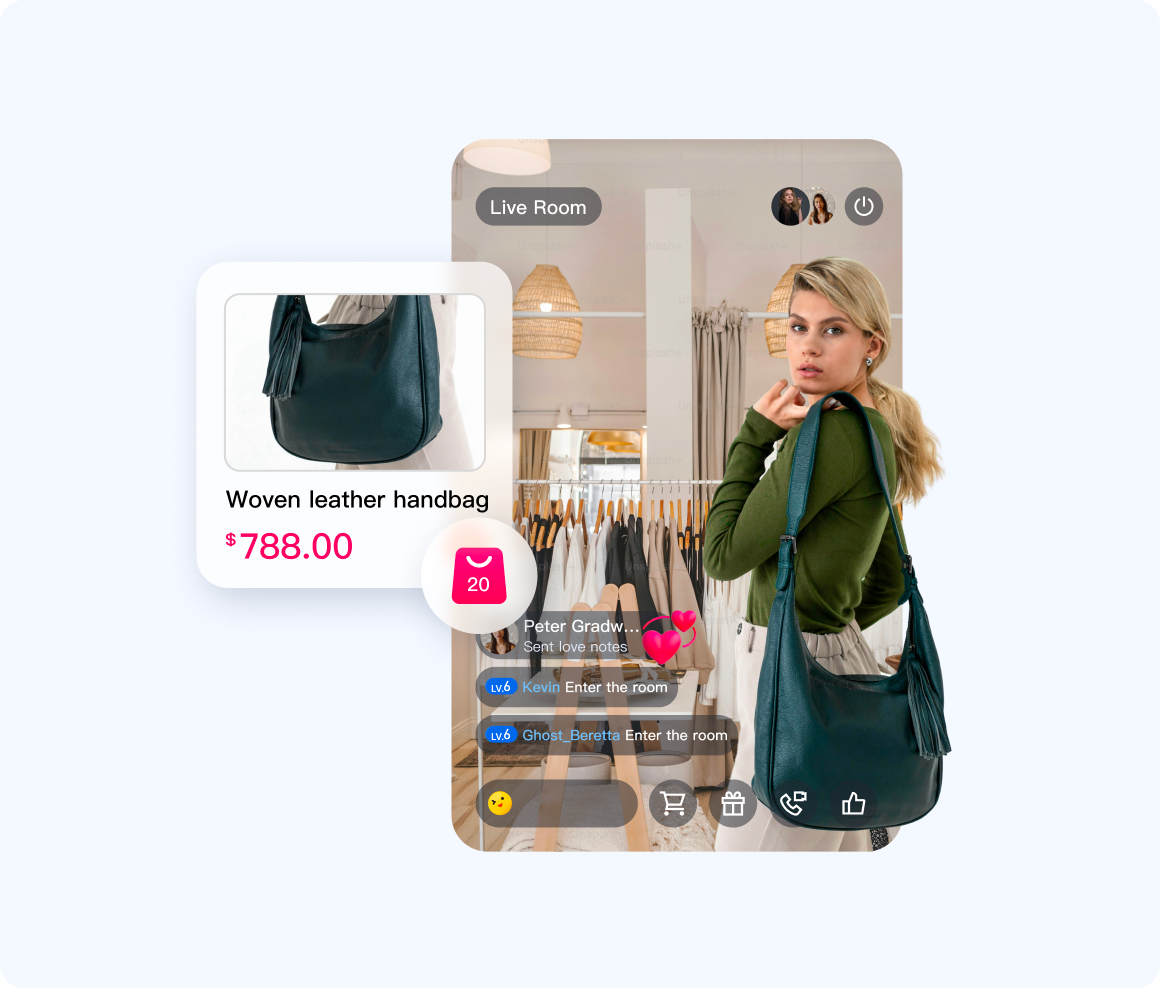
在电商直播中,主播正在讲解一款商品。此时,所有观众的直播画面下方都会弹出一张商品卡片,实时展示该商品的图片、名称和价格。当主播切换讲解下一件商品时,所有观众端的卡片都会自动、同步更新。
实现方式
主播端将当前商品的结构化信息(建议使用 JSON 格式)通过
updateLiveMetaData 接口设置到一个自定义的 key(例如 "product_info")中。AtomicXCore 会将这个变更实时同步给所有观众。观众端只需监听 currentLive 的变化,一旦发现 metaData 的 product_info 的值更新,就解析其中的 JSON 数据并刷新商品卡片 UI。代码示例
import { useLiveListState } from "@/uni_modules/tuikit-atomic-x/state/LiveListState";// 状态管理const { updateLiveMetaData, currentLive } = useLiveListState();// 1. 定义一个商品信息模型const product = ref({id: '',name: '',price: '',imageUrl: '',})// 2. 主播端:在主播界面中添加推送商品的方法const updateProduct = () => {updateLiveMetaData({metaData: JSON.stringify(["product_info": product.value]),success: () => {console.log('商品 ${product.value.name} 信息推送成功')},faile: (error) => {console.log('商品信息推送失败', error)}})}// 3. 观众端:在观众端监听 currentLivewatch( currentLive, (newVal, oldVal) => {const newProduct = JSON.parse(newVal).metaData// 假设您已经绘制了自己的商品 UI// 在此根据 newProduct 里面的字段来渲染您的商品 UI})
API 文档
State | 功能描述 | API 文档 |
LiveListState | 直播间全生命周期管理:创建 / 加入 / 离开 / 销毁房间,查询房间列表,修改直播信息(名称、公告等),监听直播状态(例如被踢出、结束)。 |
常见问题
使用 updateLiveMetaData 时有哪些需要注意的限制和规则?
为了保证系统的稳定和高效,
metaData 的使用遵循以下规则:权限: 只有房主和管理员可以调用
updateLiveMetaData。普通观众没有权限。数量与大小限制:
单个房间最多支持 10 个 key。
每个 key 的长度不超过 50 字节,每个 value 的长度不超过 2KB。
单个房间所有 value 的总大小不超过 16KB。
冲突解决:
metaData 的更新机制是“后来者覆盖”。如果多个管理员在短时间内修改同一个 key,最后一次的修改会生效。建议在业务设计上避免多人同时修改同一个关键信息。


