操作场景
Kubernetes Events 包括了 Kubernetes 集群的运行和各类资源的调度情况,对维护人员日常观察资源的变更以及定位问题均有帮助。开启事件持久化功能后,相关事件可以通过日志服务实时导出到配置的存储端。
操作步骤
1. 登录 Serverless 控制台,在左侧导航中选择数据工程 > 工作流。
2. 在工作流页面,单击服务名称,进入工作流详情。
3. 选择日志管理,单击事件日志右侧的开启。
4. 在开启事件日志对话框中,选择日志所在地域,并配置日志集和日志主题。如下图所示:
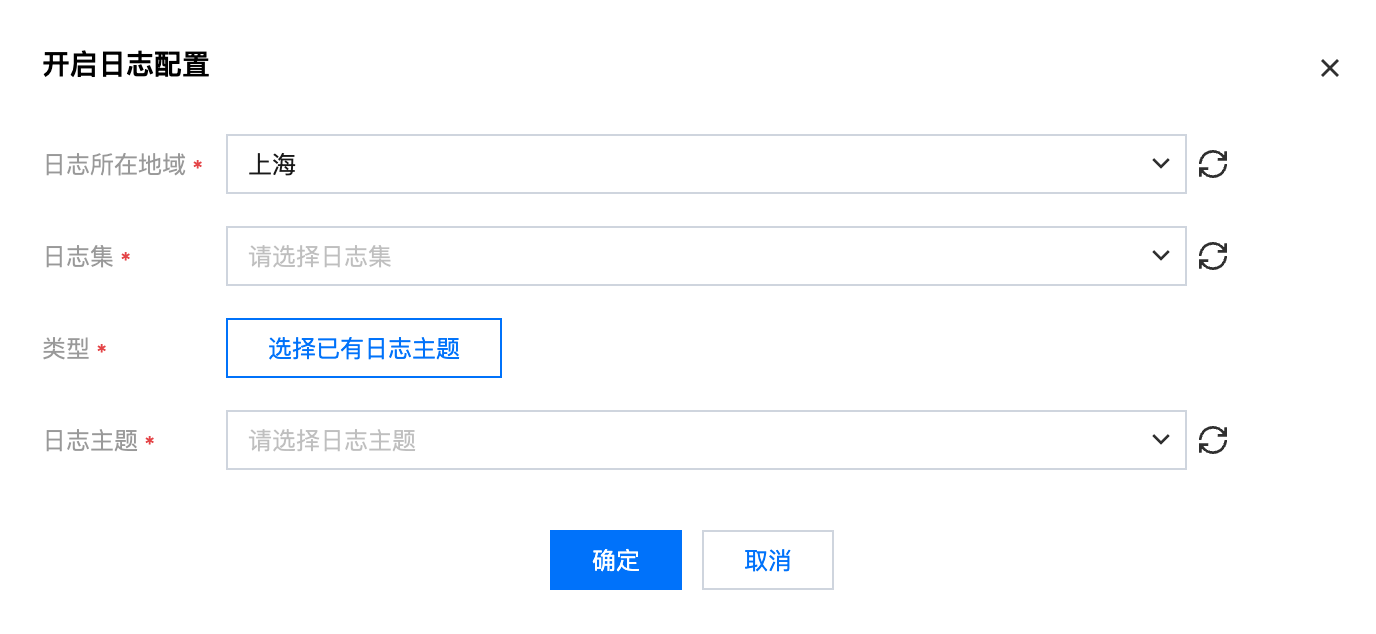
日志所在地域:CLS 支持跨地域日志投递,您可通过单击修改选择日志投递的目标地域。
日志主题:选择日志集下对应的日志主题,支持“自动创建”和“选择已有”日志主题两种模式。
5. 单击确定,即可开启事件日志。
事件日志索引说明
开启事件日志后,会自动在所选主题下覆盖写入如下索引,建议新建日志主题,避免与线上其他业务共用。
字典名称 | 字段类型 | 分隔符 | 是否包含中文 | 开启统计 (启用后,可以对字段值做统计分析) |
clusterId | text | 无 | 无 | 开启 |
timestamp | text | 无 | 无 | 开启 |
event.type | text | 无 | 无 | 开启 |
event.reason | text | 无 | 无 | 开启 |
event.message | text | @&()='",;:<>[]{}/ \\n\\t\\r | 无 | 开启 |
event.count | long | 无 | 无 | 开启 |
event.source.component | text | 无 | 无 | 开启 |
event.source.host | text | 无 | 无 | 开启 |
event.involvedObject.kind | text | 无 | 无 | 开启 |
event.involvedObject.namespace | text | 无 | 无 | 开启 |
event.involvedObject.name | text | 无 | 无 | 开启 |
event.involvedObject.fieldPath | text | .{} | 无 | 关闭 |
event.involvedObject.uid | text | 无 | 无 | 关闭 |
event.firstTimestamp | text | 无 | 无 | 开启 |
event.lastTimestamp | text | 无 | 无 | 开启 |


