组件概述
ContactList 是基于 ArkUI 构建的联系人列表组件,为用户提供完整的联系人管理功能。该组件支持好友列表展示、好友申请处理、群组列表管理、黑名单管理等功能,并提供了丰富的交互回调接口。
联系人列表 | 群组列表 | 好友申请列表 |
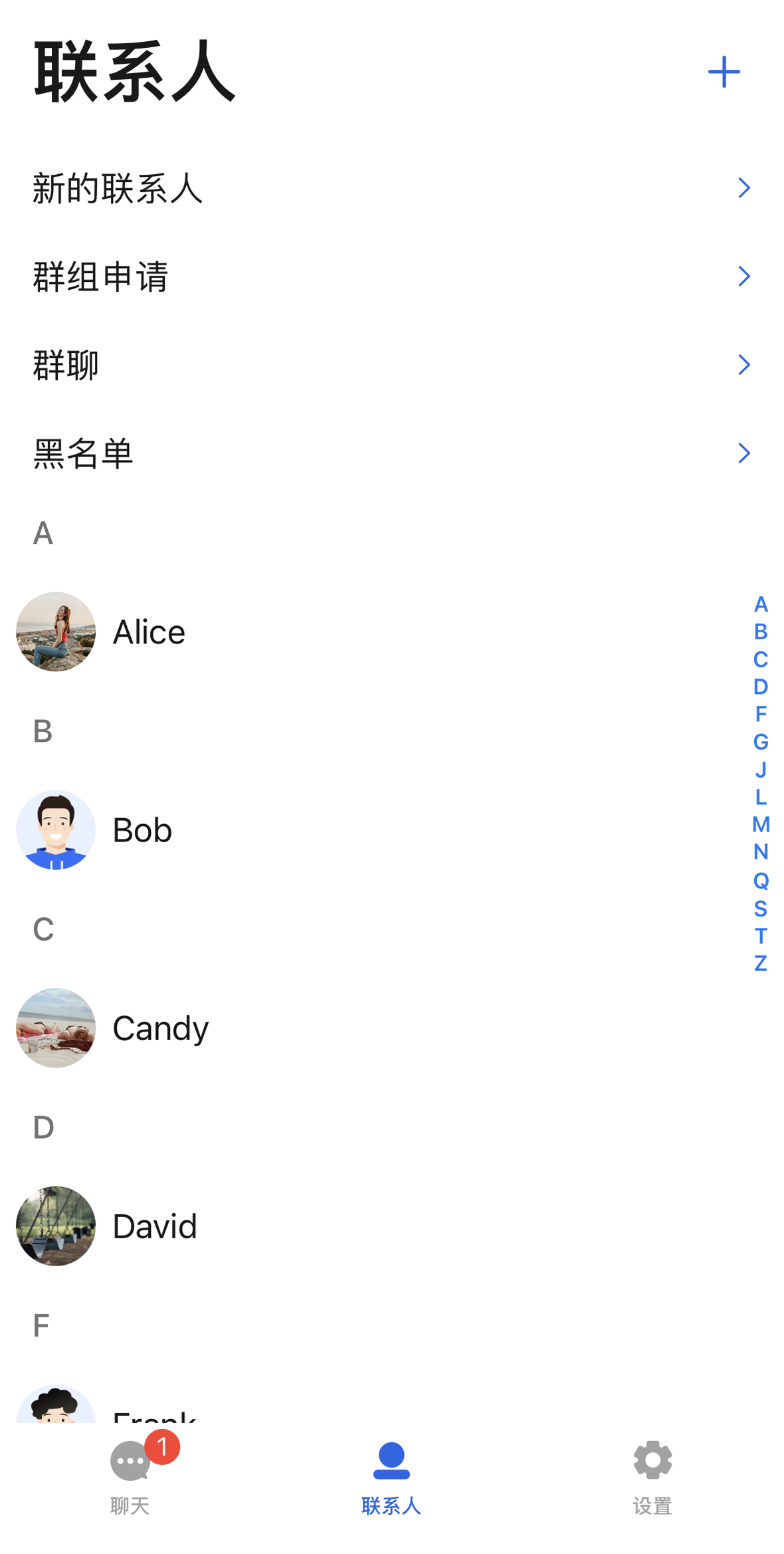 | 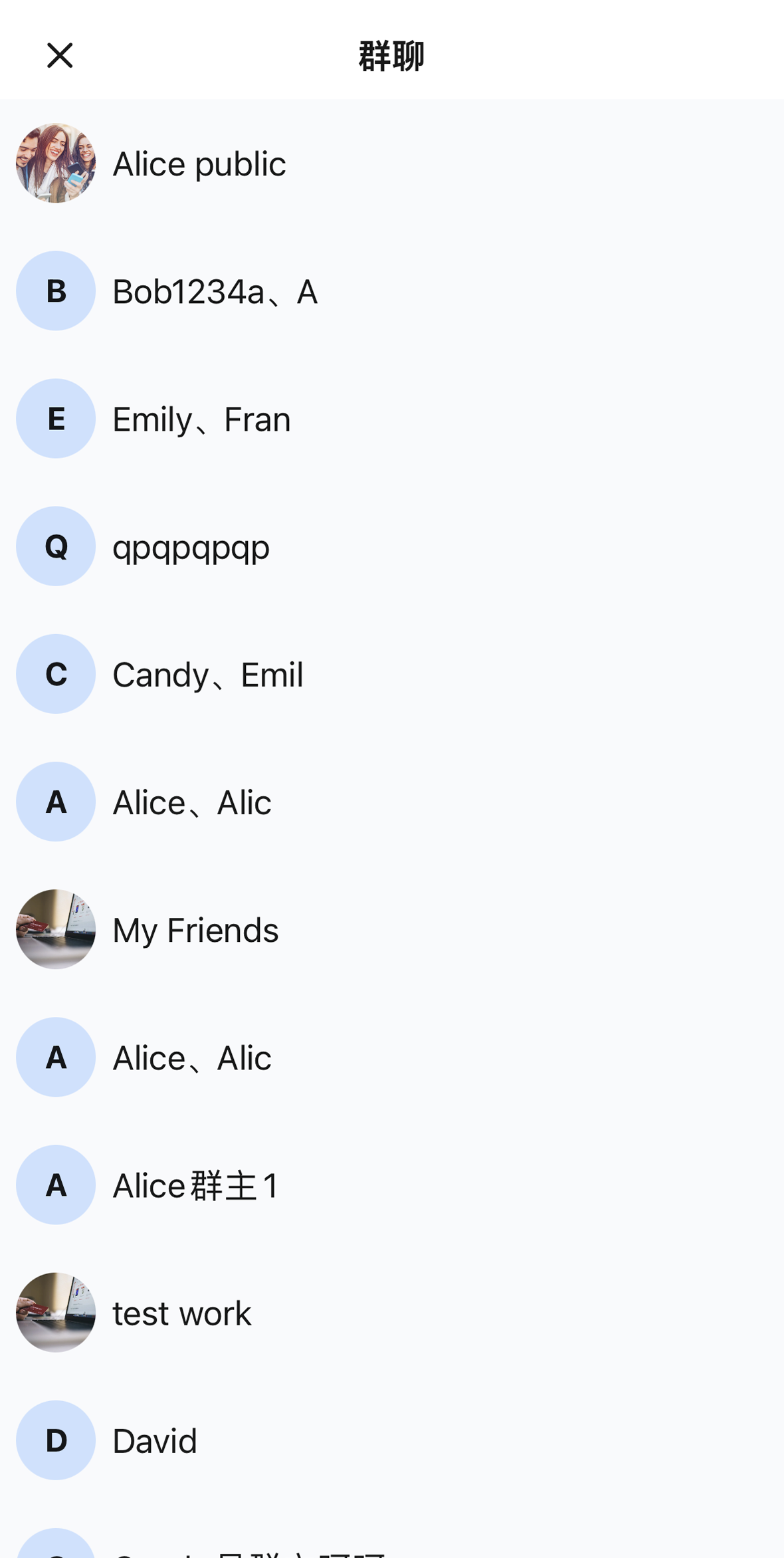 |  |
组件集成
ContactList 组件属于 TUIKit ArkUI 的一部分,集成 TUIKit ArkUI 即可获取并使用 ContactList 组件。集成方法请参考文档 TUIKit ArkUI 里的集成步骤。组件构成
ContactList 是联系人列表里的主组件,对应着整个联系人列表页框架,提供了一个对外的初始化 init 方法:方法名 | 参数 | 描述 |
init | contactStore: ContactListStore | 联系人数据存储,默认请使用 ContactListStore.create() 创建。 |
| onContactClick?: (item: ContactInfo) => void | 点击联系人的回调,可选参数。 |
| onGroupClick?: (item: ContactInfo) => void | 点击群组的回调,可选参数。 |
ContactList 上半部分预留了各个子视图的入口 cell,例如好友申请、群聊申请、群聊列表和黑名单列表。下半部分内嵌了联系人列表,如下图所示: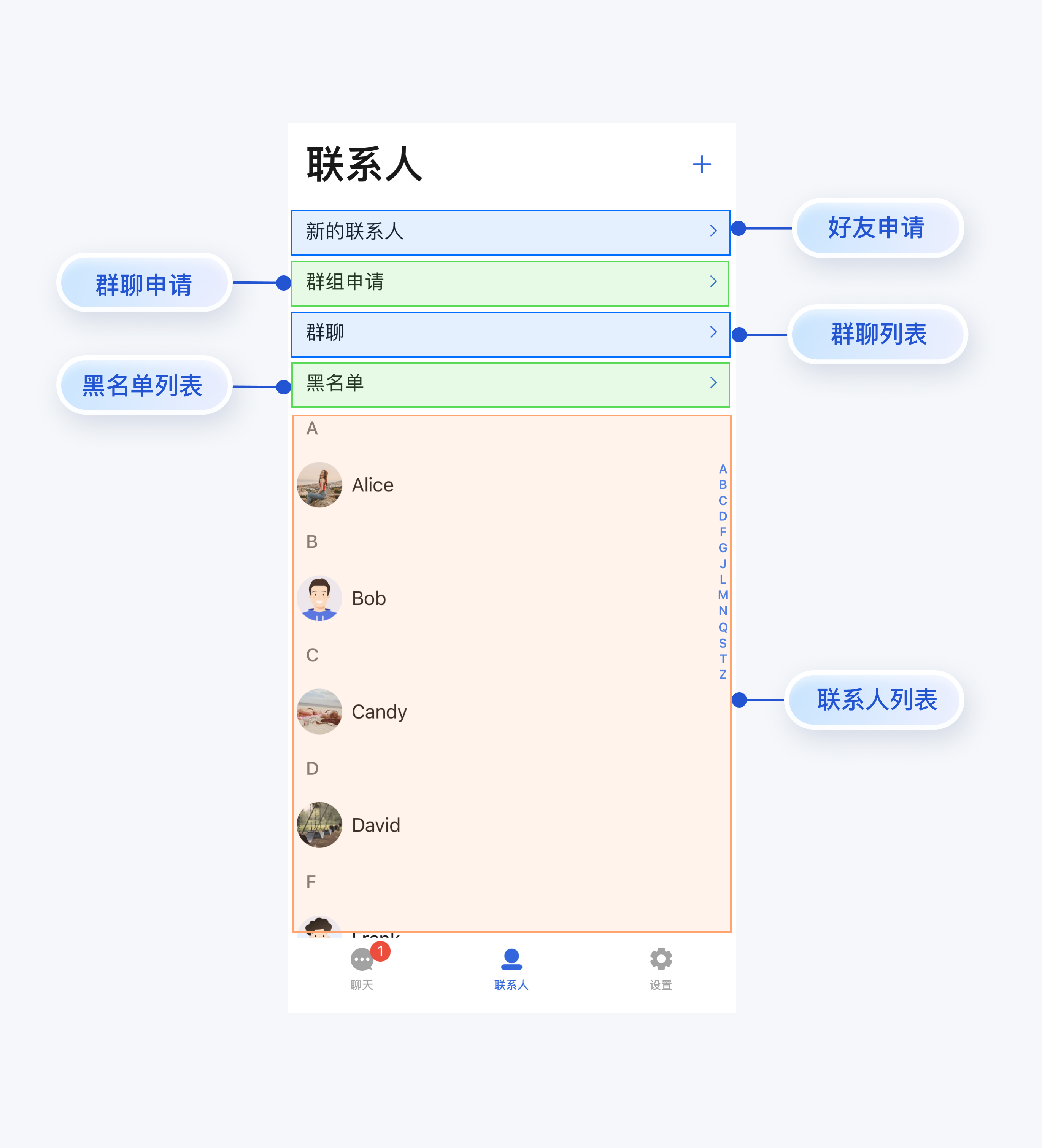
ContactList 已内置子页面导航逻辑,点击好友申请、群组申请、群组列表、黑名单等入口时,会自动以全屏弹窗(CustomDialogController)的方式打开对应的子页面,无需您手动处理导航跳转。如果您需要单独使用子页面(例如好友申请列表、群组列表等),各子页面提供了独立的 init 方法,详情如下:
子页面 | 方法名 | 参数 | 描述 |
好友申请页(FriendApplicationListView) | 同名构造函数 | contactStore: ContactListStore | 联系人数据存储,从 ContactList 传过来。 |
群组申请页(GroupApplicationListView) | 同名构造函数 | contactStore: ContactListStore | 联系人数据存储,从 ContactList 传过来。 |
群组列表页 (GroupListView) | 同名构造函数 | contactStore: ContactListStore | 联系人数据存储,从 ContactList 传过来。 |
| | onShowProfile?: (group: ContactInfo) => void | 点击群组查看详情的回调,可选参数。 |
黑名单列表页 (BlackListView) | 同名构造函数 | contactStore: ContactListStore | 联系人数据存储,从 ContactList 传过来。 |
| | onShowProfile?: (item: ContactInfo) => void | 点击黑名单用户查看详情的回调,可选参数。 |
基础用法
快速集成
ContactList 已内置子页面导航,您只需简单初始化即可获得完整的联系人管理功能:
import { ContactList } from '@tencentcloud/atomicx'import { ContactListStore, ContactInfo } from '@tencentcloud/atomicxcore'@Componentexport struct ContactsPage {@ObjectLink contactListStore: ContactListStore;build() {ContactList({contactListStore: this.contactListStore,onContactClick: (contact: ContactInfo) => {// 处理联系人点击},onGroupClick: (group: ContactInfo) => {// 处理群组点击}}).layoutWeight(1)}}
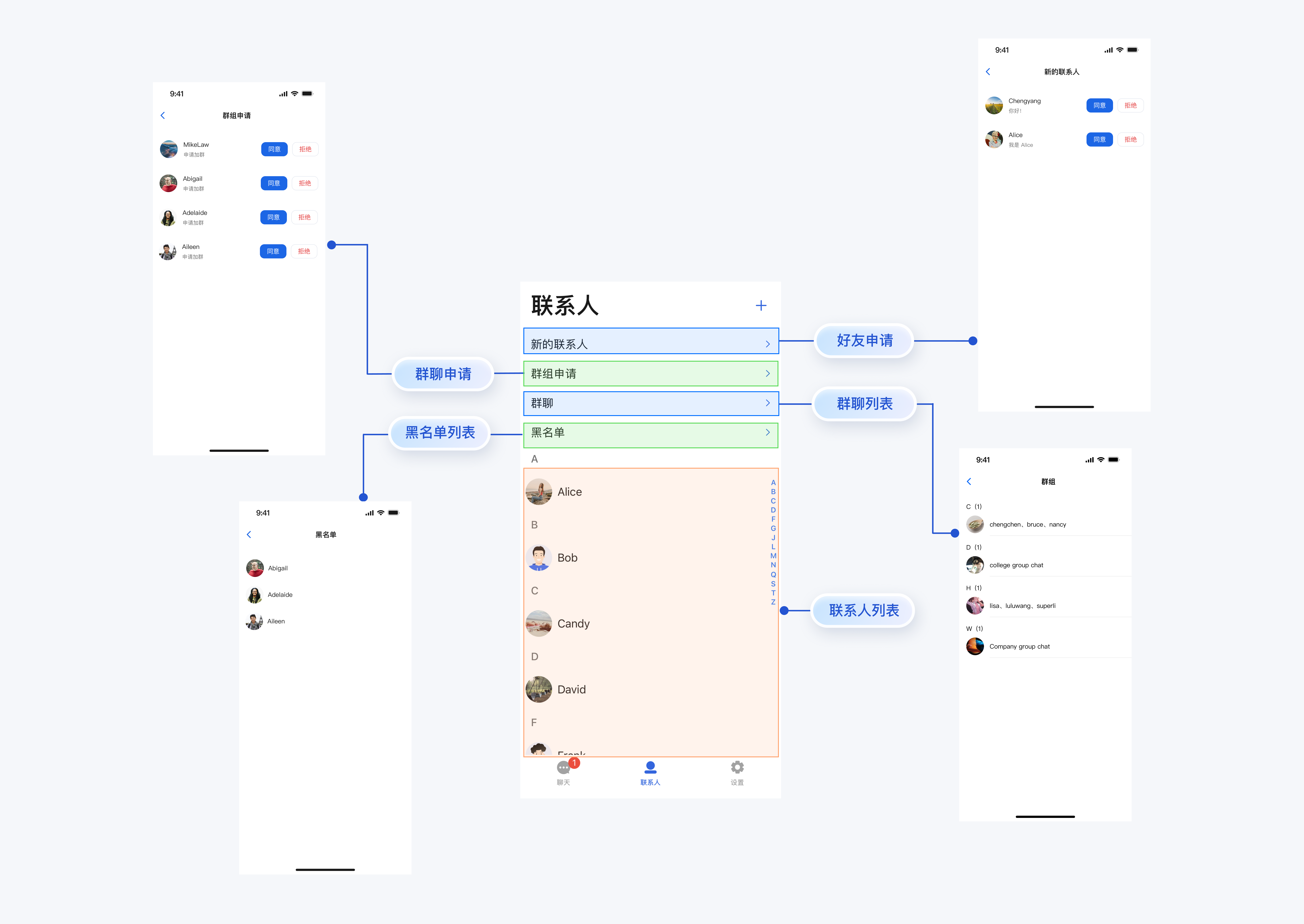
点击好友申请、群组申请、群组列表、黑名单等入口时,组件会自动以全屏弹窗的方式打开对应的子页面,无需额外处理导航逻辑。跳转示意图如下:
集成要点说明
内置导航
ContactList 内置了子页面导航逻辑,使用 CustomDialogController 方式呈现子页面:
好友申请页(FriendApplicationListView)
群组申请页(GroupApplicationListView)
群组列表页(GroupListView)
黑名单列表页(BlackListView)
回调处理
ContactList 提供两个可选回调:
ContactList({contactListStore: this.contactListStore,onContactClick: (contact: ContactInfo) => {// 点击联系人列表中的联系人时触发},onGroupClick: (group: ContactInfo) => {// 点击群组列表中的群组时触发},})
数据共享
使用 ContactListStore.create() 创建数据存储实例,组件内部会自动将该实例传递给所有子页面,确保数据一致性:
@State private contactListStore: ContactListStore = ContactListStore.create();// 在所有组件中使用同一个 contactStoreContactList(contactListStore: this.contactListStore, ...)GroupListView(contactListStore: this.contactListStore, ...)FriendApplicationListView(contactListStore: this.contactListStore)
单独使用子页面
如果您需要在其他场景单独使用子页面,可以直接初始化对应的视图:
GroupListView({contactListStore: this.contactListStore,onShowProfile: (group: ContactInfo) => {// 关闭群组列表页面this.myGroupDialogController?.close();this.myGroupDialogController = undefined;// 执行其他操作,如跳转到聊天页面}})


