概述
MessageListStore 是消息列表的数据访问与数据结构层,为上层 UI 提供统一的消息列表能力。它主要管理当前会话的消息列表数据、历史消息加载、消息收发后的列表更新、消息状态变化、消息撤回、消息已读回执、消息定位、清空历史消息后的同步等消息级能力。
我们将 MessageListStore 的创建、订阅、销毁以及当前会话切换后的消息列表更新等生命周期管理封装到了
useChatContext 中。因此,在绝大多数业务场景下,推荐直接使用 useChatContext 获取 MessageListStore 的属性和方法,而不是手动创建或管理 MessageListStore 实例。只有在需要独立消息列表实例、特殊会话消息面板、浮窗隔离、多面板隔离、或自定义消息加载流程等场景时,才需要直接接触 MessageListStore 的能力。
MessageListStore
属性
属性名 | 类型 | 说明 |
messageList | MessageInfo[] | 当前会话的消息列表数据。 |
hasOlderMessages | boolean | 是否还有更早的历史消息可加载。 |
hasNewerMessages | boolean | 是否还有更新方向的消息可加载,常用于消息定位后继续向后加载。 |
pinnedMessageList | MessageInfo[] | 当前会话的置顶消息列表。 |
方法
方法名 | 类型 | 说明 |
loadMessages | (option?: MessageLoadOption) => Promise<any> | 加载当前会话的消息列表,支持按方向、游标、数量、消息类型等参数加载。适用于初始化消息列表以及跳转到一个久远的消息片段。 |
loadOlderMessages | () => Promise<any> | 加载历史消息。 |
loadNewerMessages | () => Promise<any> | 加载时间上新的消息,常用于消息定位后的后续加载。 |
sendMessageReadReceipts | (messages: MessageInfo[]) => Promise<any> | 发送指定消息的已读回执。 |
deleteMessages | (messages: MessageInfo[]) => Promise<any> | 删除指定消息,并同步更新本地消息列表状态。 |
forwardMessages | (messages: MessageInfo[], option: ForwardMessageOption, conversationID: string) => Promise<any> | 将一组消息转发到指定会话,支持逐条转发或合并转发。 |
使用示例
以下是一个完整的 MessageList 代码示例,展示了如何使用 MessageListStore 来构建一个具有分页加载功能的文本消息列表:
支持按会话 ID 加载消息列表:输入 C2Cxxx 或 GROUPxxx 后,通过 MessageListStore.create(conversationID) 获取当前会话消息(推荐通过 useChatContext 获取)。
支持历史消息分页加载:滚动到顶部时触发 loadOlderMessages()。
支持加载更多后保持滚动位置:加载历史消息后,不会把用户当前位置顶走。
支持新消息自动滚动:用户在列表底部时,新消息到达会自动滚到底部。
支持历史阅读状态识别:用户离开底部时标记为 Viewing history。
支持新消息非打断提醒:用户正在看历史消息时,新消息到达会用原生非阻塞 <dialog> 提示。
支持一键回到底部:点击 Go to latest 后关闭提示并滚动到最新消息。
支持只渲染文本消息:过滤掉非文本消息,布局更接近论坛式消息流。
支持基础消息元信息展示:展示发送者、时间和正文。
<script setup lang="ts">import { ref } from 'vue';import BasicMessageList from './BasicMessageList.vue';import './styles.css';const inputConversationID = ref('');const conversationID = ref('');function handleLoadMessages() {conversationID.value = inputConversationID.value.trim();}</script><template><div class="message-list-basic-demo"><div class="message-list-basic-demo__header"><h2>MessageList Basic</h2><p>Basic message list with scroll loading and new-message toast.</p></div><div class="message-list-basic-demo__toolbar"><inputv-model="inputConversationID"type="text"placeholder="C2CuserID or GROUPgroupID"@keyup.enter="handleLoadMessages"/><button type="button" @click="handleLoadMessages">Load Messages</button></div><BasicMessageListv-if="conversationID":key="conversationID":conversationID="conversationID"/><div v-else class="message-list-basic-demo__empty">Enter a conversationID first.</div></div></template>
<script setup lang="ts">import { computed, nextTick, onMounted, onUnmounted, ref, watch } from 'vue';import {MessageListStore,MessageType,type MessageInfo,type TextMessagePayload,} from '@tencentcloud/chat-uikit-vue3';const props = defineProps<{conversationID: string;}>();const NEAR_BOTTOM = 40;function getMessageText(message: MessageInfo) {const payload = (message.messagePayload || {}) as TextMessagePayload;if (message.messageType === MessageType.Text&& 'text' in payload&& typeof payload.text === 'string') {return payload.text;}return '';}const {hasOlderMessages,loadMessages,loadOlderMessages,messageList,onEvent,} = MessageListStore.create(props.conversationID);const listRef = ref<HTMLDivElement | null>(null);const keepScrollRef = ref<number | null>(null);const isNearBottomRef = ref(true);const newMessageDialogRef = ref<HTMLDialogElement | null>(null);const isViewingHistory = ref(false);const showNewMessageToast = ref(false);let unsubscribeEvent: (() => void) | null = null;const textMessages = computed(() =>messageList.value.filter(message => getMessageText(message)),);function scrollToBottom() {const list = listRef.value;if (!list) {return;}list.scrollTop = list.scrollHeight;}function updateScrollState() {const list = listRef.value;if (!list) {return;}const distanceToBottom = list.scrollHeight - list.scrollTop - list.clientHeight;const isNearBottom = distanceToBottom < NEAR_BOTTOM;isNearBottomRef.value = isNearBottom;isViewingHistory.value = !isNearBottom;}async function handleScroll() {const list = listRef.value;if (!list) {return;}updateScrollState();if (list.scrollTop > 0 || !hasOlderMessages.value) {return;}keepScrollRef.value = list.scrollHeight;await loadOlderMessages();}function handleReadNewMessage() {showNewMessageToast.value = false;scrollToBottom();}onMounted(async () => {await loadMessages();requestAnimationFrame(scrollToBottom);unsubscribeEvent = onEvent((event) => {if (event.type !== 'onReceiveNewMessage') {return;}if (isNearBottomRef.value) {requestAnimationFrame(scrollToBottom);return;}showNewMessageToast.value = true;});});onUnmounted(() => {unsubscribeEvent?.();});watch(showNewMessageToast, (visible) => {const dialog = newMessageDialogRef.value;if (!dialog) {return;}if (visible && !dialog.open) {dialog.show();}if (!visible && dialog.open) {dialog.close();}});watch(messageList, async () => {await nextTick();const list = listRef.value;if (!list) {return;}if (keepScrollRef.value !== null) {list.scrollTop = list.scrollHeight - keepScrollRef.value;keepScrollRef.value = null;return;}if (isNearBottomRef.value) {scrollToBottom();}});</script><template><div class="message-list-basic-demo__body"><div class="message-list-basic-demo__status">{{ isViewingHistory ? 'Viewing history' : 'At latest messages' }}</div><divref="listRef"class="message-list-basic-demo__list"@scroll="handleScroll"><divv-for="message in textMessages":key="message.msgID"class="message-list-basic-demo__post"><div class="message-list-basic-demo__post-meta"><strong>{{ message.from?.nickname || message.from?.userID || (message.isSentBySelf ? 'Me' : 'Unknown') }}</strong><time>{{ message.timestamp?.toLocaleString?.() || message.msgID }}</time></div><p>{{ getMessageText(message) }}</p></div></div><dialog ref="newMessageDialogRef" class="message-list-basic-demo__dialog"><span>New message received.</span><button type="button" @click="handleReadNewMessage">Go to latest</button></dialog></div></template>
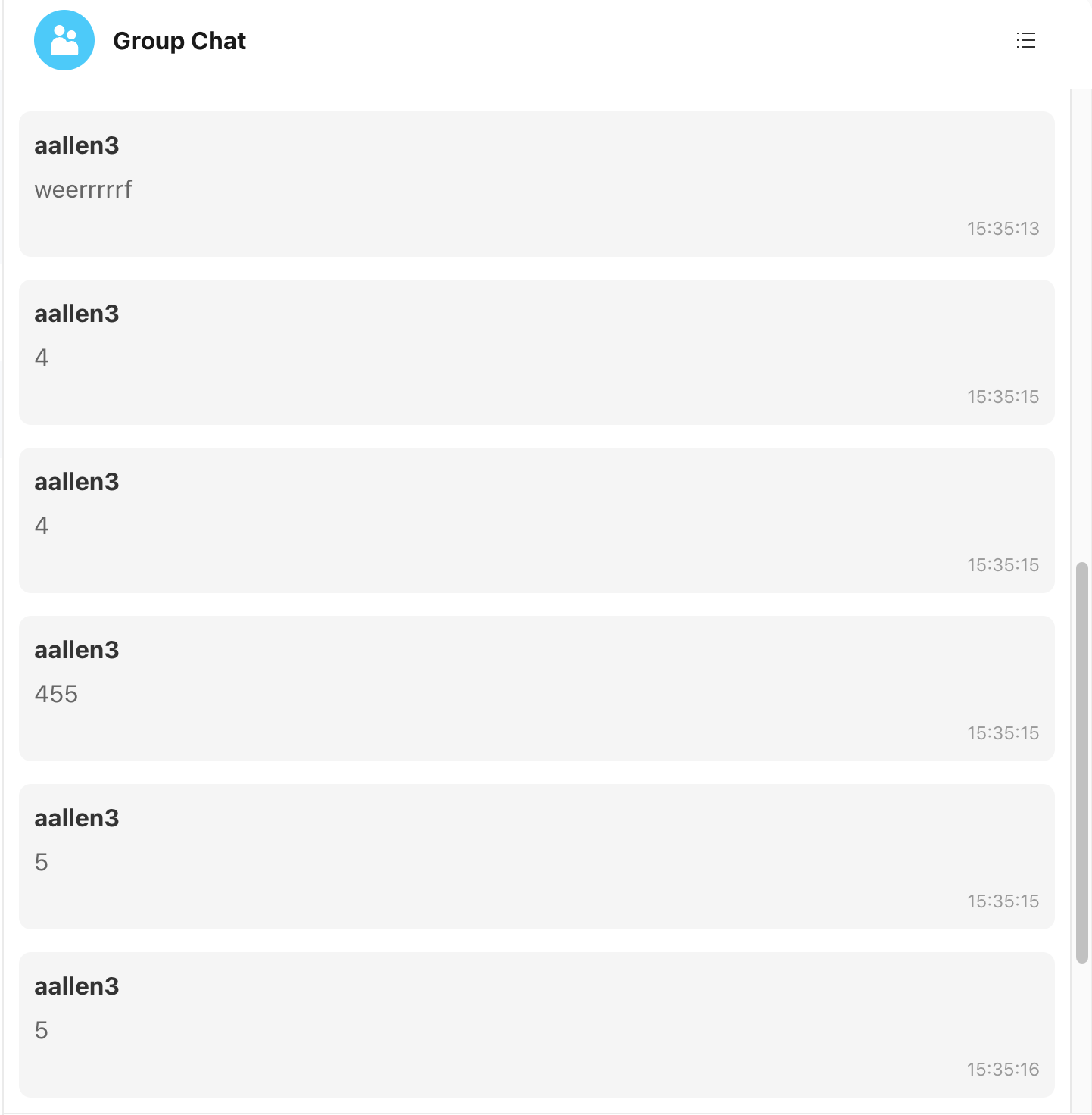
示例效果图: