组件功能
数据可视化组件,用于以图形方式展示结构化数据,支持柱状图、折线图和面积图等常见图表类型,适用于趋势分析、对比展示和统计汇总等场景。
基础用法
通过 type 指定图表类型,data 提供数据源,series 定义数据系列的展示方式,xAxis 用于配置横轴字段或显示规则。
Template 示例:
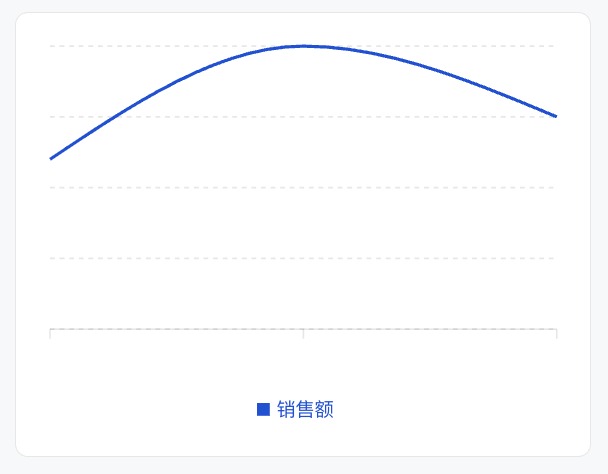
<Card><ChartxAxis="month"data={[{ month: '1月', sales: 120 },{ month: '2月', sales: 200 },{ month: '3月', sales: 150 },]}series={[{ type: 'bar', dataKey: 'sales', label: '销售额', color: '#0052D9' },]}/></Card>
效果展示如下:
属性说明
属性名 | 类型 | 描述 | 默认值 |
data ★ | ChartDataRow[] | 图表数据数组 | - |
series ★ | SeriesConfig[] | 系列配置数组 | - |
xAxis ★ | string | XAxisConfig | X 轴配置或数据字段名 | - |
width | number | string | 图表宽度 | - |
size | number | string | 图表尺寸 | - |
minWidth | number | string | 最小宽度 | - |
maxWidth | number | string | 最大宽度 | - |
showTooltip | boolean | 显示提示框 | true |
showYAxis | boolean | 显示 Y 轴 | false |
showLegend | boolean | 显示图例 | true |
barGap | number | string | 柱状图间距 | - |
barCategoryGap | number | string | 柱状图分类间距 | - |
flex | number | string | Flex 值 | - |
aspectRatio | number | string | 宽高比 (如 16/9) | 4/3 |
注意:
★ 标记为必填属性。
尺寸说明
在容器内(有
data-w-container 属性的父元素):图表宽度默认为 100%,自适应容器。不在容器内且未设置
width/size:图表宽度默认为 260px。高度控制:默认由
aspectRatio 决定(4:3)。ChartDataRow 类型
数据对象支持任意字段:
{[key: string]: any; // 如 date, Desktop, Mobile 等}
SeriesConfig 类型
每个系列配置通过
type 属性指定图表类型。如果所有系列类型相同,使用对应的图表容器;如果类型不同,则使用混合图表模式。柱状图系列:
{type: "bar";dataKey: string; // 数据字段名label?: string; // 系列标签color?: string; // 柱子颜色stack?: string; // 堆叠分组ID}
折线图系列:
{type: "line";dataKey: string;label?: string;color?: string;curveType?: CurveType; // 曲线类型}
面积图系列:
{type: "area";dataKey: string;label?: string;color?: string;curveType?: CurveType;stack?: string;}
XAxisConfig 对象
用于对 X 轴进行精细化控制。
属性名 | 类型 | 描述 | 默认值 |
dataKey ★ | string | 数据字段名 | - |
label | string | number | object | 坐标轴标签 | - |
type | "number" | "category" | 坐标轴类型 | "category" |
hide | boolean | 是否隐藏 | false |
angle | number | Tick 旋转角度 | - |
tickMargin | number | Tick 间距 | - |
allowDuplicatedCategory | boolean | 允许重复分类 | false |
CurveType 类型
折线图和面积图支持以下曲线类型:
"basis" - 基础曲线"linear" - 直线"natural" - 自然曲线"monotoneX" - X 轴单调曲线"monotoneY" - Y 轴单调曲线"step" - 阶梯曲线"stepBefore" - 前阶梯"stepAfter" - 后阶梯使用示例
柱状图
Template 示例:
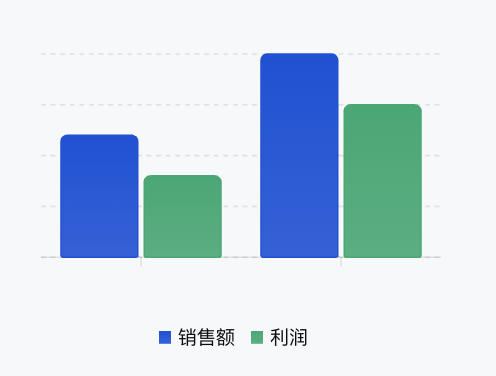
<ChartxAxis="month"data={[{ month: "1月", sales: 120, profit: 80 },{ month: "2月", sales: 200, profit: 150 }]}series={[{ type: "bar", dataKey: "sales", label: "销售额", color: "#0052D9" },{ type: "bar", dataKey: "profit", label: "利润", color: "#00A870" }]}/>
效果展示如下:
折线图
Template 示例:
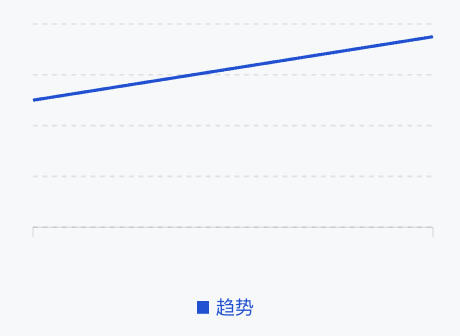
<ChartxAxis="date"data={[{ date: '2024-01', value: 100 },{ date: '2024-02', value: 150 },]}series={[{type: 'line',dataKey: 'value',label: '趋势',color: '#0052D9',},]}/>
效果展示如下:
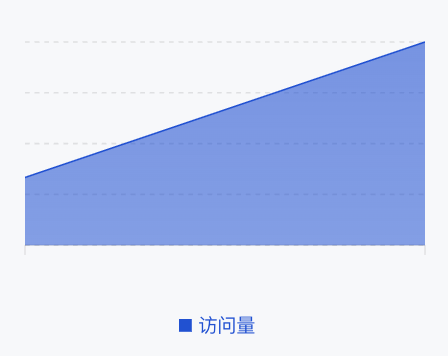
面积图
Template 示例:
<ChartxAxis="time"data={[{ time: "00:00", visitors: 100 },{ time: "12:00", visitors: 300 }]}series={[{type: "area",dataKey: "visitors",label: "访问量",color: "#0052D9"}]}/>
效果展示如下:
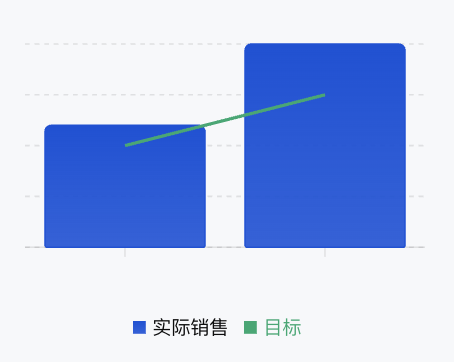
混合图表
可以在同一个图表中混合使用不同类型的图表进行展示。
Template 示例:
<ChartxAxis="month"data={[{ month: "1月", sales: 120, target: 100 },{ month: "2月", sales: 200, target: 150 }]}series={[{ type: "bar", dataKey: "sales", label: "实际销售", color: "#0052D9" },{ type: "line", dataKey: "target", label: "目标", color: "#00A870" }]}/>
效果展示如下: