【vue 系列】nuxt2 配置国际化详细教程


前言
废话不多说, 本篇博客主要教你,如和一步步的配置Nuxt 的国际化,
起因
在网上找了半天 没有一个对的, 全是不合格 , 因此自己只能手撸一个了
下载依赖
需要下载 @nuxtjs/i18n 依赖
首先是要下载安装我们的i18n插件依赖。安装指令:
        npm install --save @nuxtjs/i18n

这里千万不要下载错了
        错误命令:npm install vue-i18n     // 这是vue中的
配置
- 新建文件夹
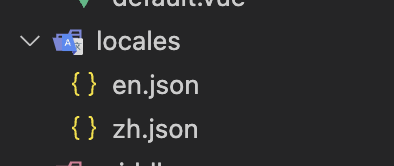
locales, 创建en.json和zh.json结构如下图所示:
en.json
{
  "links": {
    "home": "Home",
    "title": "title"
  }
}
zh,json
{
    "links": {
      "home": "主页",

    },

}- 创建
middleware文件夹, 在文件夹内创建i18n.js, 内容如下
export default function ({
 isHMR,
 app,
 store,
 route,
 params,
 error,
 redirect
}) {
 const defaultLocale = app.i18n.fallbackLocale
 // If middleware is called from hot module replacement, ignore it
 if (isHMR) {
   return
 }
 // Get locale from params
 const locale = params.lang || defaultLocale
 if (!store.state.locales.includes(locale)) {
   return error({ message: 'This page could not be found.', statusCode: 404 })
 }
 // Set locale
 store.commit('SET_LANG', locale)
 app.i18n.locale = store.state.locale
 // If route is /<defaultLocale>/... -> redirect to /...
 if (
   locale === defaultLocale &&
   route.fullPath.indexOf('/' + defaultLocale) === 0
 ) {
   const toReplace =
     '^/' +
     defaultLocale +
     (route.fullPath.indexOf('/' + defaultLocale + '/') === 0 ? '/' : '')
   const re = new RegExp(toReplace)
   return redirect(route.fullPath.replace(re, '/'))
 }
}- 在
store中创建index.js, 内容如下
/*
 * @Description:
 * @Author: 若城
 * @Date: 2023-10-26 17:47:24
 * @LastEditTime: 2023-10-26 17:47:30
 */
export const state = () => ({
  locales: ['en', 'zh'],
  locale: 'en'
})

export const mutations = {
  SET_LANG (state, locale) {
    if (state.locales.includes(locale)) {
      state.locale = locale
    }
  }
}nuxt.config.js配置
plugins:[ '~/plugins/i18n.js'],
router: {
    middleware: 'i18n'
  },
使用
{{ $t('links.home') }}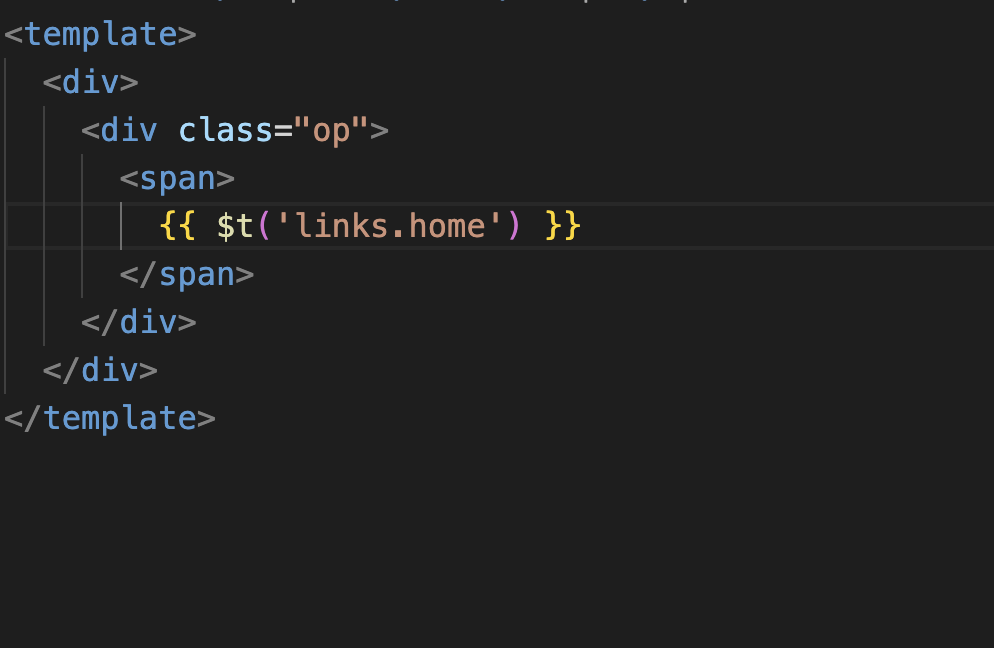
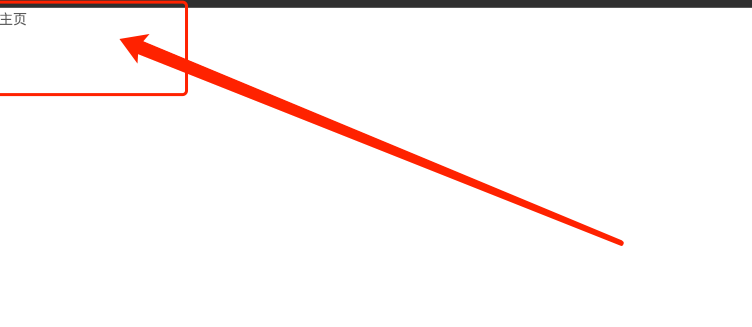
效果
本文参与 腾讯云自媒体同步曝光计划,分享自作者个人站点/博客。
原始发表:2024-02-29,如有侵权请联系 cloudcommunity@tencent.com 删除
目录
腾讯云开发者

Copyright © 2013 - 2026 Tencent Cloud. All Rights Reserved. 腾讯云 版权所有
深圳市腾讯计算机系统有限公司 ICP备案/许可证号:粤B2-20090059  粤公网安备44030502008569号
腾讯云计算(北京)有限责任公司 京ICP证150476号 | 京ICP备11018762号